Tips for weaving complex designs on rigid heddle looms
planning projectsNot So Rigid DesignerWeaving Softwarepick-updraftsTo celebrate the full launch of WIF Import in Not So Rigid Designer (now available for all subscribers!), here’s some tips on weaving more complex designs on your rigid heddle loom! These tips mostly apply whether or not you use Not So Rigid Designer to come up with your complex weaves, but the software is helpful to figure out your designs!
First, a bit about the software #
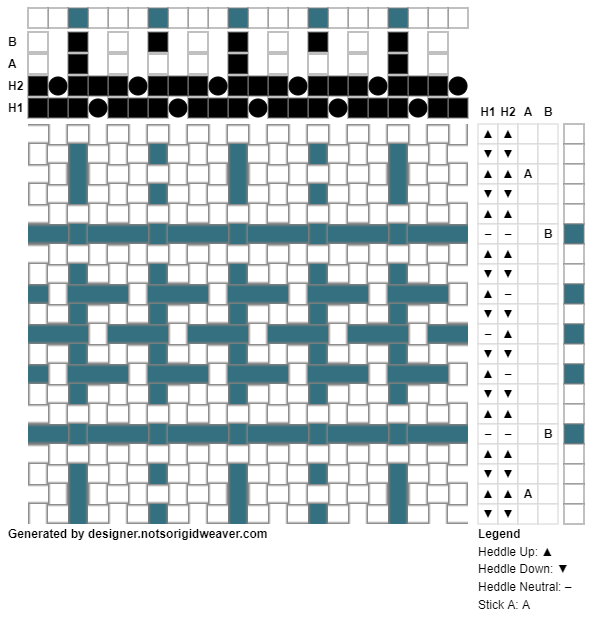
Not So Rigid Designer lets you design patterns for Rigid Heddle looms, using one or more heddles and/or pick up sticks, and get detailed threading diagrams. And now, all subscribers can upload WIF files generated by other weaving software, or from sources like Handweaving.net, and automatically convert them into rigid heddle designs and try out multiple options virtually.
The WIF import feature lets you choose to import using 1, 2, or 3 heddles, with any additional shafts in the file being set as a pick up stick pattern. Premium users can import designs with up to 10 shafts, while the limit for Basic users is 4 shafts. Combined with the threading diagrams feature, you can quickly experiment with many ways to weave a complex pattern on a rigid heddle loom!
The tips! #
Remember that the draft is a simplification of the structure #
One thing that applies to most weaving software or hand drawn drafting on graph paper, and most looms, is that the “draft” format that lays out the warp and weft in a grid does not account for all of the 3d motion that will happen in the yarns, both on the loom and during wet finishing, and sometimes things will look very different in practice, including forming multiple distinct layers as a doubleweave. This is also influenced by the actual sett and characteristics of the yarn and how much room they have to slide around.
Consider different sett options #
Using multiple heddles and non-standard threading gives you different sett options than the simple “DPI = EPI” of plain weave. The options will be different for using 1, 2, or 3 heddles to achieve the same design, and there may be multiple possibilities.
Not So Rigid Designer lets you import a WIF using 1, 2, or 3 heddles, and then you can look at multiple options on the threadings tab and see different densities for most designs. Rearranging the order of the heddles can also make the density a bit different as well. The EPI of the design is the density multiplied by the DPI of the heddle. Since density is a percentage remember to divide it by 100 if using a calculator! So 125% density at 10 DPI would be an EPI of 12.5 (10 * 1.25), or 66.7% density at 15 DPI would be about 10.7 EPI (15 * 0.667).
Think of the thread paths #
I have found if you’re using a pick up pattern, it’s best to have the threads which will be picked up separately following different paths through the heddle(s). It’s both very hard to pick up the correct thread consistently when they follow the same path, and, especially if the yarns are smooth and fine, they may start swapping places in a way that messes with your pattern. In practice, this means you may want to choose a lower density threading option in a higher DPI heddle (often this means some holes and/or slots will be skipped); with a single heddle this might be choose a maximum of 1 thread per hole and slot in the software, or consider a multi-heddle option over a single heddle with pick up.
Consider indirect warping #
Direct warping is really quick and simple, but works mainly with pairs of threads. Some complex threadings will break this and it can be hard to figure out how to thread them with direct warping when the end result is that some holes or slots have more than one thread, some are skipped, etc. Or if you want to stick to direct warping, remember that you can always cut and tie off at the peg to get an odd number of threads.
If you aren’t sure, sample #
It’s better to set up a narrow, short sample and experiment than to start setting up a whole big project and realize it’s not going to work out the way you thought, or, it’s more complicated than you really want to weave. I can be pretty laissez-faire about sampling on rigid heddle but when you’re pushing the limits of structure there’s more that can surprise you!
Not all WIF files are meant to be woven as is #
There's a concept known as a profile draft, which is basically a "zoomed out" view where each thread in the WIF file represents multiple threads in some structure. These generally would have impractically long floats or threads that aren't tied down at all.
Think about float lengths #
Some drafts are meant to be woven at a fine sett that isn't practical on a rigid heddle. The longer a float, the easier it is to snag on things if it's a fabric designed for a practical use.
Don’t get too invested in weaving complex things - remember to have fun! #
Sometimes I like weaving really complicated things, and sometimes I just want a simple plain weave project. Both kinds of weaving are great! Don’t feel like you have to go complicated just because you can! My aim with this software has been to not be too opinionated on what is practical to weave, because everyone’s line will be different; limits are more around performance of the software than what is practical to weave, especially for the limits for Premium.
This means that there are things that you can design with the software that would be highly impractical to weave for various reasons. Sometimes I’ve set up a project with a complicated structure and decided it just wasn’t something I wanted to weave, and switched to plain weave.
Check out Not So Rigid Designer, the online weaving software for rigid heddle loom weavers!